May 10, 2022

Google Workspace for Education Updates to Google Products

Google Workspace for Education has been very busy!!  Take a look at all the new items which are or will be available in Docs and Classroom! 

First - you may have noticed the comments icon has expanded to include comments, emojis, and suggested edits. 

Emoji's in Docs


Second - Start a Google Meet from a doc, sheet and presentation.  This will automatically share the document with the participants so everyone is working off the same information. 

Join Google Meet from Doc


Third - Google Docs has an new option called Dropdown.  Simply key in @dropdown anywhere in the doc and the dropdown menu will appear.  You will see the various options for this tool when using it for a project status for groups of students or as a team of teachers. Take a look and see how you would use it. 

Dropdown Menu


Fourth- Classroom has finally added the schedule from multiple classes!  This one was a long time coming and many teachers had been upvoting it.  Well it is finally here.  Take a look at the ease of assigning an assignment across multiple classes at different times!!

Schedule Across Multiple Classrooms at Different Times

Fifth - Google Classroom will be releasing the availability to create practice sets within Classroom. Student can get feedback as they answer questions and teachers can get immediate information on how students are learning. Take a look at this new feature coming soon! 

Practice Sets


As with any Google update, we don't know exactly when it will hit our domain.  Most of these are ready for your use, and practice sets should be up and running this fall. 

Apr 8, 2022

Flocabulary


Flocabulary is part of the Nearpod package.  These videos can be used within Nearpod or as a stand alone learning experience.  Simply login with your Google account and get started.  All videos are created with a RAP like sound.  In addition to the video, there are vocab cards, vocab games, read and respond, quiz, lyric lab and teacher resources. Each activity can be assigned to students individually, or selecting multiple activities to assign.  Check out this video to learn more about Flocabulary. 

Flocabulary also has a great option for current events as well.  It is called The Week in Rap.”  This current events update also allows for teachers to use the discuss slider for students conversations about the related current event topic.


Apr 5, 2022

Adding External Calendars

Having all your events on one calendar is a must in this world of multiple children with multiple activities.  Knowing who is going where, what they are doing, who needs picked up and who has games or practices.  It is a madding effort to keep it all organized.  I have always done it for my family, but this year, I am also in charge of scheduling concessions for my son's baseball team.  I figured since I was doing it for myself, I was sure others would benefit from how to do it as well.  Below you will find three ways to sync those calendars to your Google or Outlook calendar and your iPhone.  Hope this helps those who actually enter all those dates one by one each year. 


8-18 to Google Calendar:


8-18 to Outlook Calendar:


8-18 to iPhone:


Mar 8, 2022

March Madness - Brackets


In the mist of a very trying spring semester, I thought this would be a good way to try to get your mind on something FUN.  

Take a look at this post on March Madness 2022 in Google Sheets.  I think those of you who like to be in charge of the bracket will enjoy this one as everything is coded for you.  Make a copy and start creating now.   There are Single Bracket Templates as well as Group Bracket Templates.  Thanks @EricSantos for the tweet! 


Mar 7, 2022

Women in History Month


Women's History Month was established  in 1981  for the week of March 7th.  In 1987 it was passed designating March to be "Women's History Month."   Since this proclamation, we celebrate the contributions women have made to the United States and various fields over the course of American history. ( https://womenshistorymonth.gov/about/) 

The video below can be used to introduce Women in History month.  It was created March 2021.

Here are several resources you can use for Women's History Month.  
Like always, these are curated from multiple sources so you can make a decision on what is appropriate for your grade level and students.  

Mar 3, 2022

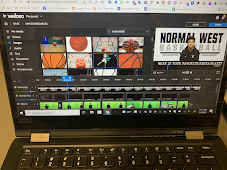
WeVideo is a versatile top-notch technological tool that allows students to express themselves in creative and engaging ways. Students are able to collaborate with each other in real-time similar to a shared google document and the new classroom feature allows teachers to review the progress of group projects and give feedback along the way.

Teachers across the district are using WeVideo for a wide range of projects such as blogs, music videos (similar to Flocabulary videos), weather reports, book reviews, stop-motion videos, broadcasting (Informative writing), and narrative skits.  I use it for creating senior interviews for my basketball team!

WeVideo is an online video and audio editor which can be a screen recorder that has the ability to incorporate a green screen for a“Hollywood” special effect. Students use their Chromebooks, smartphones (yup, there’s an app for that), and personal devices to create their content.  Since it is cloud-based, students' work is automatically saved so they can pick up exactly where they left off without any worries.

Check out some of these useful websites that WeVideo provides for educators:

              Teacher Resource Page   Creator Community   Webinars


Each student at Unit 5  has the capabilities for a free version, however, there is a 5-minute time limit on recordings. Unit 5 has purchased a limited number of premium accounts for students to use.  If you are interested in having your students use WeVideo for a project, please contact your Instructional Technology Coaches, Amber O’Day (odaya@unit5.org) or Eduard Hafermann (hafermae@unit5.org) to get started.


Mar 2, 2022

Ukraine-Russia Conflict through the lens of Critical Media Literacy


Are you looking for a way to engage students in investigating and asking thoughtful questions about the Ukraine-Russia Conflict?  Here is a way you can do that through the lens of Critical Media Literacy.  As Media Literacy becomes an Illinois State Requirement in 22-23, it is important for all disciplines to use media literacy to further the knowledge of students on investigating media sources and the reliability of the source. 

Here is a Ukraine-Russia Conflict 2022 Media Literacy Choice Board.  It was created and shared with the Creative Commons license to share and adapt out by Torrey Trust in the Facebook Group Hyperdocs.  Not a Facebook user...Here you go.


Mar 1, 2022

February 22' Instructional Tech Updates

Lots of snow this month which has brought e-learning and snow days which caused a normally short month to seem even shorter.  As the year chugs along and February ends, March brings a new month where the sun is out more, flowers start to bloom, and of course at least one or two more snow storms.  Enjoy our February Instructional Technology Updates.  I'm sure you will find something in it which interests you.  


Feb 25, 2022

Lumio by SMART


Lumio (formerly known as SMART Learning Suite Online), is a digital learning tool created by SMART. It's web-based interface, allows teachers to create engaging lessons where students can interact with in class on their Chromebooks and tablets, remotely, or on their own time on their own devices.


You can combine your teaching resources, including PDF, Google files, and SMART files to create ONE engaging lesson, or choose from a variety of ready-made resources and full lessons to hit the ground running.

So how do I get to Lumio?  Click here to identify the two locations where you can access Lumio so you can get started today!

Transform lessons into team-based assessments, activities and games, convert static content into collaborative workspaces where students can co-create together on a shared digital canvas from their own devices, or take advantage of ready-made resources like graphic organizers and manipulatives. Click here to explore the types of content you can add to your lesson, along with video resources we have attached to each tool.

Feb 1, 2022

Black History Month - Ideas and Resources


February marks the beginning of  Black History Month.  In a previous post I talked about the history of BHM and how it came to be.  This year I wanted to focus on some activities which have been shared out and may be of interest to you.  Many of the slides are using a application called Viewpure which allows for videos from YouTube to be viewed without ads.  Great for younger students.   All resources have been shared out willingly in hopes they may be helpful.  Each link will force you to make a copy of the presentation so you will be able to edit as needed for your students.  Enjoy! 

NPR Article on Black History Month and why it is celebrated in February.

Amanda Mleczko Niaves created this slidedeck so she could share one slide each day with her students.  Take a look to see if it is something you could share with your students.  Make a copy, add to it to your drive then make it your own! Post from Bitmoji Craze Educators.

Vicki Tseng- Found this incredible library for Black History Month and changed most of the videos to links to play automatically without ads!  Original Creator Christine Fleeman curated this library.  Thanks to both! Make a copy, add to it to your drive then make it your own! Post from Bitmoji Craze Educators.

Janelle Luna - Created this resource to support the efforts of educators wanting to go deeper and broader in their Black History Month Experience. Make a copy, add to it to your drive then make it your own! Post from Bitmoji Craze Educators

Kim Jansen created this slidedeck which highlights African American Leaders with a slide for videos, books and a Spanish version.  Make a copy, add to it to your drive then make it your own!   Post from Bitmoji Craze Educators

Sarah Renae created this slidedeck with videos which explain the struggles African Americans encountered.  Watch the videos before showing to class as some may be disturbing for younger students.  As always, you know your students and maturity level.  Make a copy, add to it to your drive then make it your own! Post from Bitmoji Craze Educators

YouTube Videos for elementary students:
As always when I share out resources, you are free to use or don't use, it is up to you.  Hope you all enjoy these.